Device Control Logs
This page describes each element of the device control log data table and the features available on the detail page.
Through MonitorDog Agent’s Device/File logging feature, device-related events that occur on the user’s machine are monitored and recorded.
All such logs can be reviewed on this page.
Log Table
You can view all recorded logs. The table shows information about the user who triggered the event, the device details, and the type of control action.
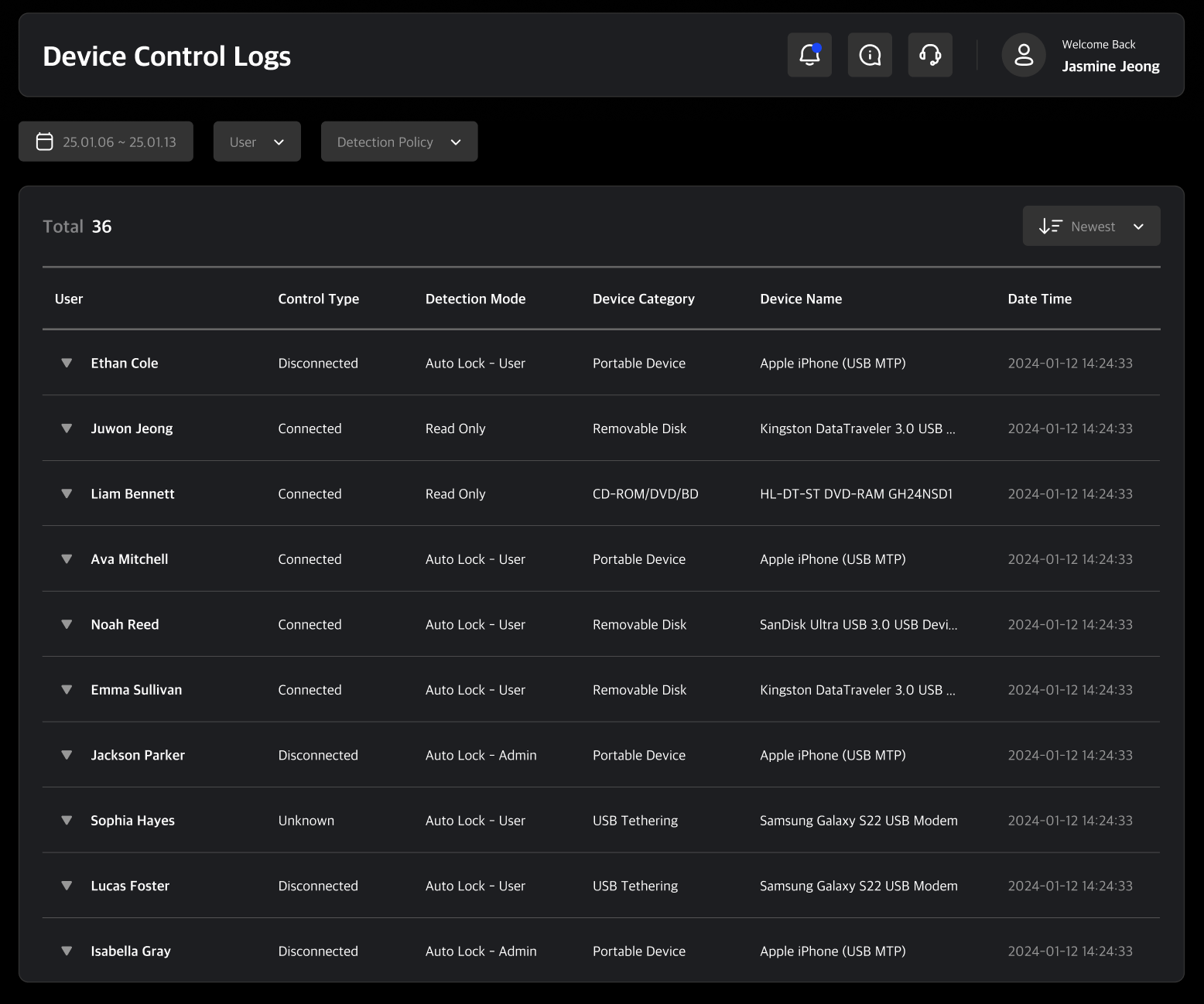
Clicking on a log entry will open its detailed view.
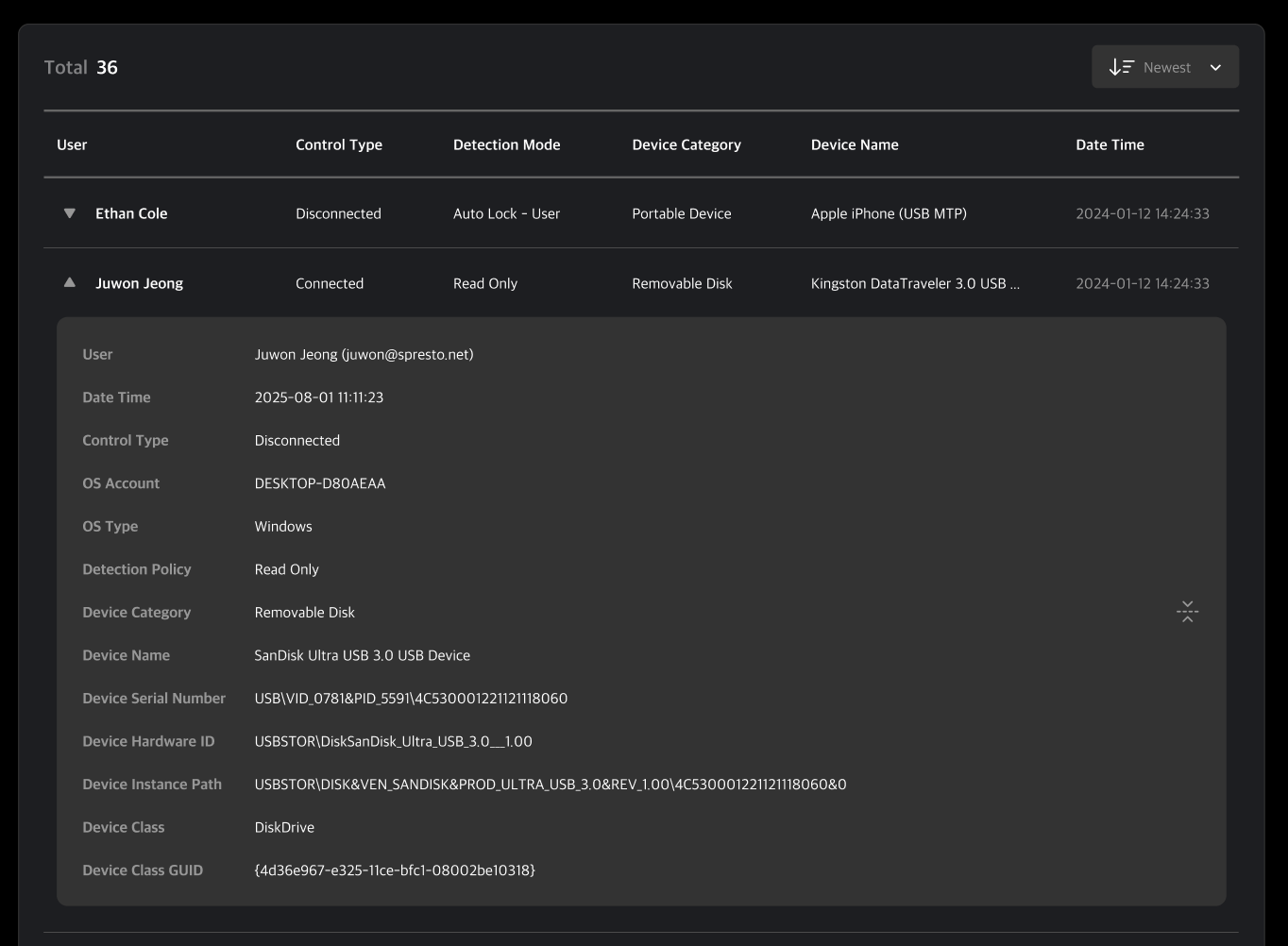
Control Types
- Connect: External device connected
- Disconnect: External device disconnected
Detection Mode
- Log Only: When a device is connected, only the connection and file transfer logs are saved. The screen does not lock.
- Auto Lock – Unlock By Admin: When a device is connected, the screen is automatically locked and a block notification is displayed. The blocked connection is recorded in the log, and the user can request an unlock from an administrator via the lock screen. The lock is released only after the administrator approves this request.
- Auto Lock – Unlock By User: When a device is connected, the screen is automatically locked and a block notification is displayed. The blocked connection is recorded in the log, and the user can unlock it themselves at any time.
- Read Only: When a device is connected, the screen does not lock. File transfer is blocked, but files can still be read.
- No Detection: Detection is disabled. All connections are allowed, no logs are saved, and the screen does not lock.